![Growficient_donkergroen copy.png]](https://help.growficient.com/hs-fs/hubfs/Growficient_donkergroen%20copy.png?height=40&name=Growficient_donkergroen%20copy.png)
Note! You must be an admin to access this information. If you do not have admin rights please contact your location admin or support@growficient.com to change this.
In the Company management: Devices menu you will see all the devices that you currently possess in the company. These will be added to you company by Growficient after purchase
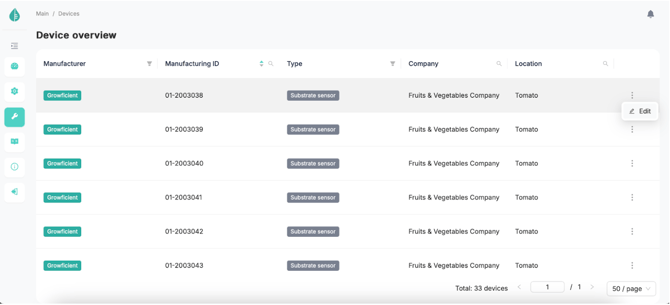
By clicking on the 3 dots after the placement name you can edit the device placement, name, and coordinates. In the ‘Edit’ screen you can quickly replace devices to a different placement.
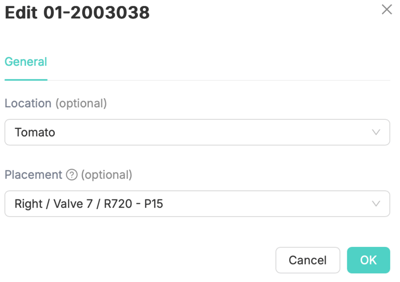
After clicking ‘OK’ you will get a confirmation massage of the changes.
Note! If there is already a device attached to a placement, this will be detached first. Historical data will not be copied from one placement to another. Visit the Moving sensors with their data article for assistance on this.