![Growficient_donkergroen copy.png]](https://help.growficient.com/hs-fs/hubfs/Growficient_donkergroen%20copy.png?height=40&name=Growficient_donkergroen%20copy.png)
This article explains how to create a company on the Growboard.
Note! You must be an admin to make the following changes. If you do not have admin rights please contact your location admin or support@growficient.com to change this.
In the Company overview, you can view and manage your company

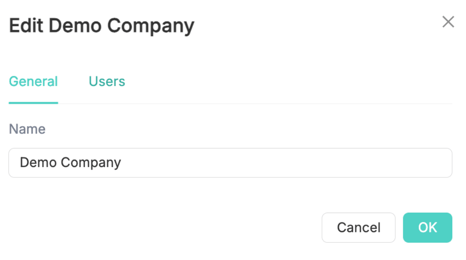
To edit, click on the three dots ⋮ on the right of your company name. This will open an editing window of two tabs:
-
In the 'General' tab you can change the company name
-
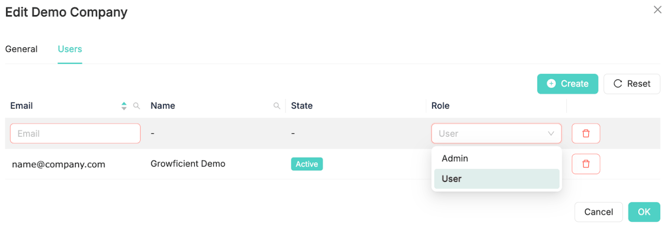
In the ‘User’ tab you can add/remove new company users.
Adding a new user
You can add a new company user by clicking the ‘Create’ button and adding the email address of the user under 'Email. You will then need to assign a role for them. Here you have the following options:
- Admin: Full control over all company users, resources, and underlying locations
- User: Basic access for administrative purposes
Removing a user
You can remove a user by clicking the trashcan button next to the role of the user.
Note! Removing the user from the company will not delete the account of the user