![Growficient_donkergroen copy.png]](https://help.growficient.com/hs-fs/hubfs/Growficient_donkergroen%20copy.png?height=40&name=Growficient_donkergroen%20copy.png)
You can reuse a sensor in a new placement while keeping all previously collected data in the original placement.
This method is recommended when starting a new project, trial, or growing cycle and you want to keep datasets separated. Historical data remains linked to the original placement. The new placement will only show data collected from the moment of reassignment.
1. Create a new sublevel for placement
First, create the sublevel where the sensor will be connected.
-
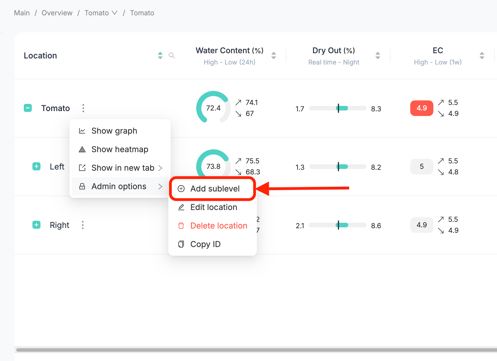
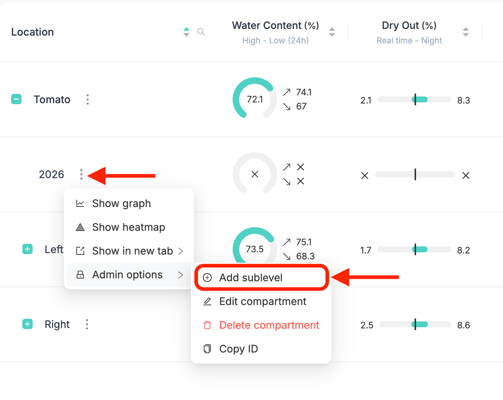
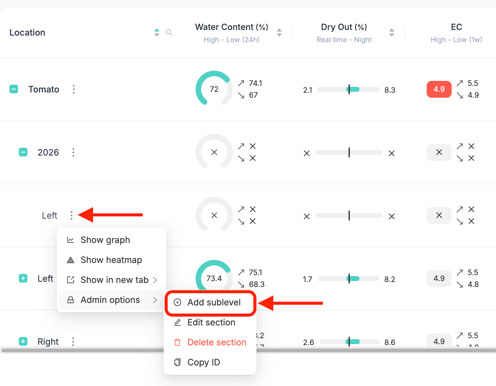
Navigate to Location → three dots → Admin options → Add sublevel.
-
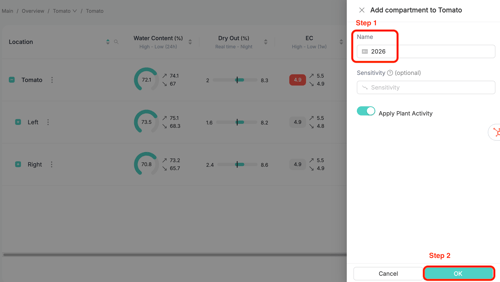
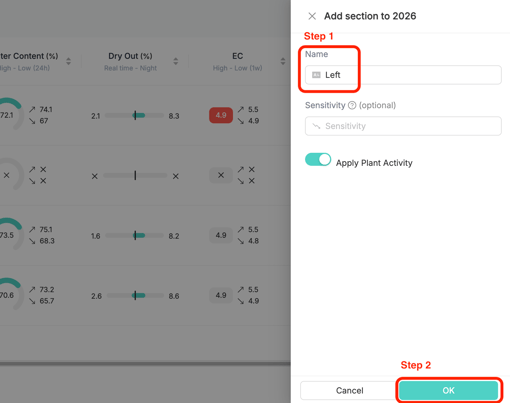
Name the new sublevel.
-
Click OK.
Repeat this step until you have at least two sublevels under your location.
Note: Sensors can only be connected when there are at least two sublevels under the location. If this is not yet the case, create the required sublevels before proceeding.
2. Connect the sensor to the designated new placement
-
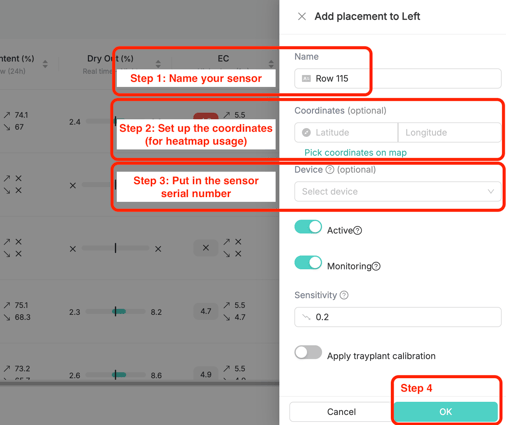
Navigate to the (final) sublevel where you want the sensor to be connected.
Click Edit placement.
-
Enter a name for the placement.
-
Optional: Select the coordinates for your sensor.
-
Enter the serial number of the sensor you want to reuse.
-
Click OK.
3. Confirm the reassignment
A confirmation message will appear indicating that:
-
The device will be disconnected from its current placement.
-
The device will be connected to the new placement.
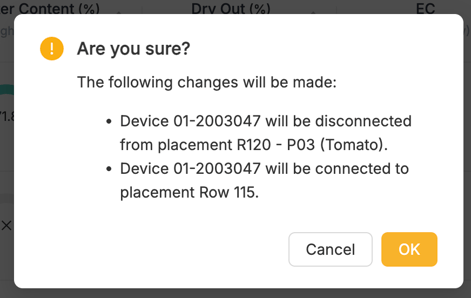
Click Yes to confirm.
The sensor is now connected to the new placement.
Important
-
All historical data remains in the original placement.
-
The new placement will only display data collected after reassignment.
- New data will become visible approximately 5 to 10 minutes after reassignment. Sensors communicate with the gateway every 5 minutes, assuming stable connectivity.
-
This method is recommended when starting a new project or trial with the same sensor.
You might also want to know: How to change a sensor location while carrying the data over
This method is used when you are restructuring your Growboard and want the complete data history to move together with the sensor to the new location.