![Growficient_donkergroen copy.png]](https://help.growficient.com/hs-fs/hubfs/Growficient_donkergroen%20copy.png?height=40&name=Growficient_donkergroen%20copy.png)
Sensor location accuracy is particularly important when using the heatmap functionality. If you move your sensor from a plant to another, the heatmap location of the sensor should be updated.
Modify the coordinates and heatmap location
Step 1: Navigate to the placement sublevel
Open the full cascade of Location→ Compartment → Section → Placement of your Growboard until you see the sensor you are moving. Once you have located the right sensor, click on the three dots ⋮ and select Admin options → Edit placement
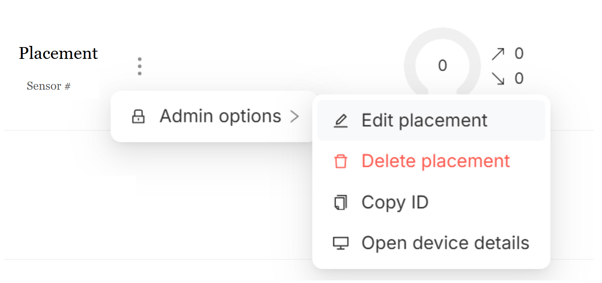
Step 2: Use coordinates or the map
Either input the latitude and longitude of the new placement or click 'Pick coordinates on map'
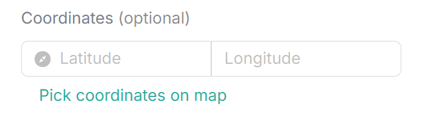
Moving the sensor on the map
Use your cursor to grab the pin and move it as close as possible to where the sensor is now placed. The white circle will show the original placement and the blue pin is movable to the new spot.
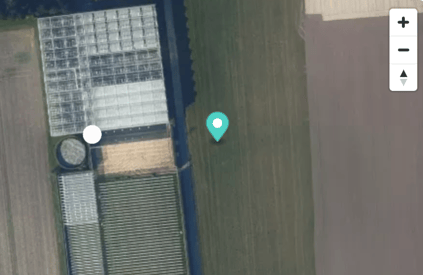
Step 3: Confirm the change
Click on 'OK' from the map (if you used the map tool selection) and 'OK' from the bottom right corner to confirm the change to the heatmap location.