![Growficient_donkergroen copy.png]](https://help.growficient.com/hs-fs/hubfs/Growficient_donkergroen%20copy.png?height=40&name=Growficient_donkergroen%20copy.png)
You can receive many notifications from your Growboard to help you optimize your irrigation. The notification settings are designed to be flexible and specific to make sure you only get notified about what you need to be notified of. You can set up notifications per:
- Location: placement of the sensor
- Feature: plant activity, start time, thresholds
- Method: Growboard notification, e-mail, push notification
The three notification methods are:
- Growboard (show notifications in the Growboard Notification Center)
- Push notification (receive notifications as a push message on your phone/browser app)
- E-mail (receive an e-mail at the specified mail address of your user account settings)
Setting up your notifications according to your personal preferences
-
First, make sure push notifications of your device and browser are on.
-
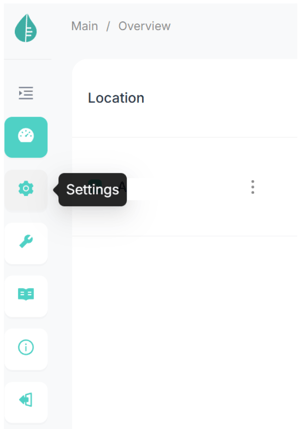
Go to your user settings via the 'Settings' button on the main menu on the left
- Select the 'Notifications' tab
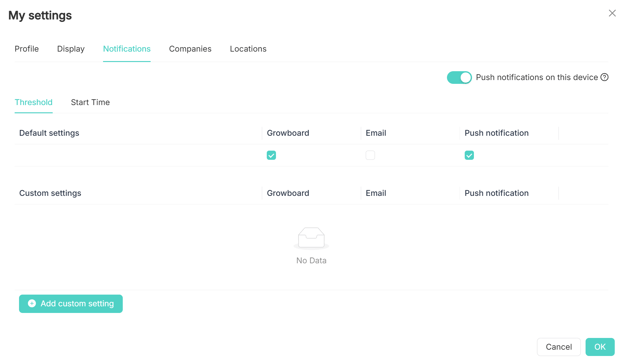
- Select the feature from the Notifications' subtabs (threshold subtab shown on the picture above)
- Select the method by ticking the boxes for the types of notifications you want to receive
- Make sure that the "Push notifications on this device" toggle in the top right corner is on
By selecting the check boxes in the 'Default settings', you set up the default notifications for the Growboard(s) you have access to for the feature tab you're on. For example, in the photo above, Growboard and app push notifications are on for all thresholds of all locations I have access to.
Location-specific notification settings
If you only want to receive notifications for specific locations, compartments, sections, or placements, you can utilize the 'Custom settings' -button.-
- Here you can select the location for which you want to set up customer notification settings
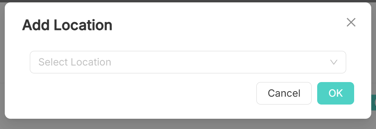
- You can choose specific settings for the whole location, compartment, section, placement, or even just a singular sensor
- The location will be shown underneath the 'Custom settings' for you to select with notification methods you want to use
- To remove a location from the Custom settings, simply click on the
 icon next to the location, and the default settings will apply to the location again
- Here you can select the location for which you want to set up customer notification settings
If you have any issues receiving notifications even if they are on in the Growboard settings, please check that your device notifications are on. You can find instructions to do this on an iOs device here.